
← Back to Comparisons & Alternatives
Password Managers vs Browser Password Saving: which option fits your business? A business password manager is the better choice when you need controlled sharing, company ownership of credentials, and reliable employee offboarding. Browser password saving can be sufficient for a solo operator with no shared logins and a secure recovery process.
Use a business password manager when your company needs controlled credential sharing, reliable handovers, or a clear process for removing employee access. Browser password saving can be sufficient for a solo operator with no shared logins, provided the devices, account, and recovery process are properly secured.
The deciding factor is how your business manages access. A securely stored password can still create an operational problem if nobody can retrieve it when an employee leaves.
Modern browser-integrated tools already provide useful protection. Google Password Manager, for example, generates unique passwords, stores credentials with encryption, and warns about compromised passwords. Paying for a separate product does not automatically make every login safer.
The stronger case for a dedicated business password manager is the ability to organize credentials around the company’s responsibilities: who owns them, who can use them, and how access is withdrawn.
Documentation checked: October 4, 2026. This comparison is based on official documentation and business requirements, rather than hands-on product testing.
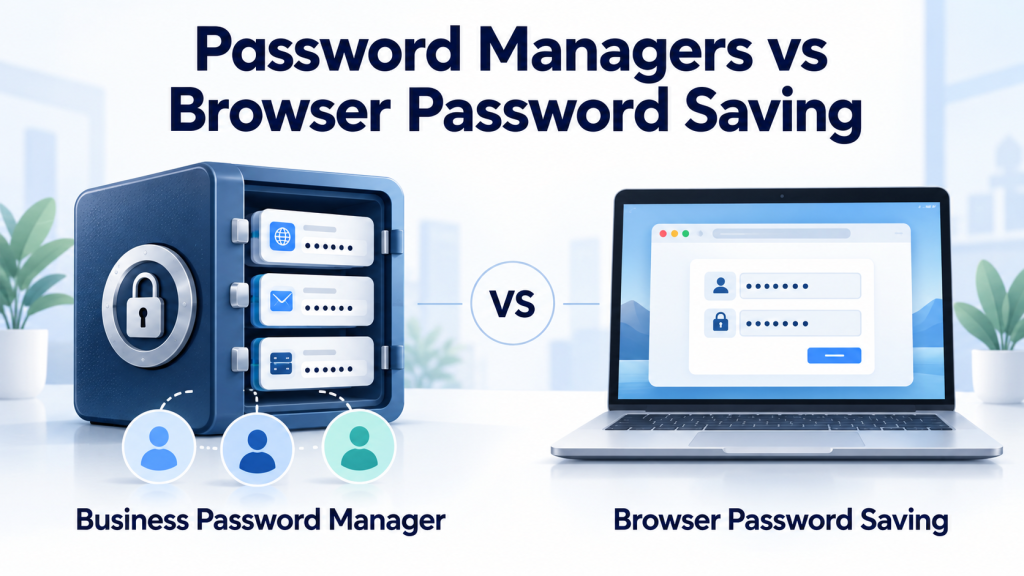
What the two options actually mean
Browser password saving
Browser password saving stores login details and fills them into websites. Depending on the provider and settings, credentials can also sync through an account and work in mobile apps.
This category includes more than a password database inside one browser. Google Password Manager works across supported Google environments. Apple’s Passwords app is a separate application integrated with its ecosystem and Safari.
Google confirms that saved passwords and passkeys can be available across supported devices signed into the same Google Account. Its cross-device documentation explains where those credentials can be used and how synchronization works.
A dedicated business password manager
A dedicated password manager stores credentials in a vault: a protected collection of login details and other sensitive information.
A business subscription can add company administration, shared collections, user permissions, policies, recovery options, and activity records. The available controls depend on the product and subscription.
An individual password manager subscription and a business subscription serve different needs. Strong personal password storage does not, by itself, provide company access management.
Password Managers vs Browser Password Saving: Business Comparison
The following table compares both approaches against the same business requirements. It describes capabilities to evaluate, rather than promising that every product includes every feature.
| Business requirement | Browser-integrated password saving | Dedicated business password manager |
|---|---|---|
| Generate and autofill unique passwords | Available in modern tools such as Google Password Manager. | A core function to verify on the browsers and apps your team uses. |
| Access across devices | Supported within the provider’s compatible environments. | Often supports several browsers and operating systems; check the actual combinations you need. |
| Share credentials | Some tools support sharing; the scope and permissions vary. | Business plans can provide shared vaults or collections with assigned access. |
| Establish company ownership | Depends on account ownership, storage settings, and administrative arrangements. | Can provide organization-owned storage; correct configuration remains essential. |
| Enforce security rules | Managed browsers can control selected settings. | Some plans provide vault-specific policies, including authentication requirements. |
| Review activity | Browser administration and reporting vary. | Some plans provide vault event logs; check coverage and retention. |
| Remove employee access | Requires control of relevant accounts, devices, and application access. | Can centrally remove vault membership, alongside application offboarding. |
| Recover access | Depends on the provider’s account recovery and device arrangements. | Recovery options vary by plan, configuration, and encryption model. |
| Deploy and maintain the system | Convenient when already part of the user’s workflow. | Requires deployment, training, permissions, and ongoing administration. |
| Evaluate cost | Password saving generally requires no separate password-manager subscription. | Assess subscription charges together with deployment and administration. |
Official documentation provides examples of these differences. Apple supports shared password groups. Bitwarden documents collection permissions, event logs, and Enterprise policies.
The practical question is whether the specific system meets your requirements. A feature called “sharing” does not necessarily provide the permissions, ownership rules, or recovery process your company needs.
When browser password saving is sufficient
Browser password saving is a reasonable option when one person controls the accounts, uses a compatible set of devices, and does not need to hand credentials to employees or contractors.
Consider a freelance designer who operates alone. Each service has a unique password, devices lock automatically, and the account used for synchronization has strong authentication and current recovery information. There are no shared company logins.
For that workflow, a business subscription could introduce administration without solving an immediate collaboration problem.
Before relying on browser saving, check that:
- Work credentials are stored in the intended account.
- Personal and business credentials remain separate.
- Device access is protected and software is updated.
- Multi-factor authentication is enabled on important accounts.
- Recovery does not depend entirely on one device.
- A documented continuity process exists for critical business services.
Google recommends recovery information and two-step verification to help protect the account holding saved credentials.
A browser profile helps organize work, but it does not replace a separate operating-system account on a computer used by several people. Each user should have their own protected device session.
When a business password manager is the better choice
More than one person needs access
A small agency might need several employees to access a supplier portal that does not support individual accounts.
Sending its password through chat creates separate copies. When the password changes, someone must distribute the replacement and identify who still has access.
A business vault provides a defined place to store that credential and assign permissions. For example, Bitwarden’s collection settings allow organizations to control access and collection management responsibilities.
Whenever an application supports individual accounts, use them instead of sharing one login. Individual accounts make application-level permissions and accountability easier to manage.
A shared vault is useful for credentials that genuinely must be shared. It should not become a reason to avoid individual accounts.
The company must retain credentials when someone leaves
Imagine that an employee registers a business service and saves its password in a personal vault. The company pays the invoice, but the employee controls the stored login and recovery method.
A business password manager helps only if those credentials are placed in storage the organization controls.
Bitwarden’s user removal documentation illustrates the distinction. Individually owned vault items and organization-owned collections follow different ownership rules. An organization ownership policy can also change how member data is retained after removal.
Set storage rules before onboarding users. A paid subscription does not automatically turn every saved item into company property.
You need consistent rules and records
A team with contractors, privileged accounts, or customer security requirements can need enforceable authentication rules and records of vault activity.
Business products can provide these controls, but the subscription matters. Bitwarden documents its Enterprise policies separately from its event logging capabilities.
Before purchasing, ask:
- Which policies can administrators enforce?
- Which events are recorded?
- How long are records retained?
- Can the required records be exported?
- What happens to access on an offline device?
- Which credentials remain individually owned?
A vault event log is not a complete record of activity inside the application whose password it stores. Review the application’s own logs when investigating account use.
Your team uses different browsers and devices
A mixed Windows, macOS, Android, and iPhone environment creates additional compatibility requirements.
A dedicated manager is worth evaluating when your team needs one credential system across those environments. Check the combinations employees actually use, including mobile apps and browser extensions.
Test a representative workflow before committing. Desktop compatibility alone does not establish that the product works well for mobile staff.
Security limits both options share
A compromised device remains dangerous
Neither approach makes an infected computer safe. An attacker controlling a device can target credentials, active sessions, or information entered after login.
Keep devices updated, use appropriate endpoint protection, and avoid unnecessary administrator privileges. Credential storage belongs within a wider security process. SecurePickr’s small business cybersecurity checklist covers related controls.
Removing vault access does not invalidate a password
Removing someone from a password manager does not change the password at the underlying service.
The person could have copied it earlier. Bitwarden also warns that offline clients can retain cached organization data for a short time after removal and recommends updating credentials where malicious use is anticipated.
For an employee departure, assess three separate actions:
- Remove access to the vault.
- Disable or remove the person’s application accounts and sessions.
- Change shared credentials the person could retain when continued access must be prevented.
Also review recovery email addresses, registered authentication methods, and other access mechanisms attached to critical accounts.
Passkeys still require access management
A passkey uses a cryptographic credential to sign in instead of a reusable password. Modern integrated tools can store passkeys as well as passwords.
Google documents passkey storage and cross-device use. Apple documents sharing passwords and passkeys with trusted groups.
Your business still needs to determine who controls those credentials and how access will be removed. Verify passkey support, recovery, sharing, and migration for your actual services before changing tools.
A practical decision checklist
Use these questions to assess your workflow. This is an operational checklist, not a security score or certification.
| Question | If the answer is yes |
|---|---|
| Does more than one person need the same credential? | Evaluate controlled sharing and prefer individual application accounts where available. |
| Could an employee’s departure leave you unable to access a service? | Establish company ownership and a tested handover process. |
| Are work credentials being saved in personal accounts? | Define approved storage and move affected credentials. |
| Do you need enforceable vault rules or activity records? | Compare business plans against the exact controls required. |
| Does the team regularly switch between browsers and operating systems? | Test cross-platform coverage. |
| Would losing one phone or laptop block critical access? | Test recovery before relying on the system. |
| Do you administer high-impact accounts such as email or domain registration? | Apply stronger access controls and documented continuity arrangements. |
Choose according to the highest-impact requirement that remains unmet.
A two-person company can need a business vault immediately if it shares critical credentials. A larger company using individual application accounts and centralized sign-in can have fewer shared passwords, but still need a managed place for remaining credentials.
Headcount alone is a weak decision rule.
How to switch without losing access
1. Identify what the business actually owns
List business services, account owners, recovery methods, and who needs access. Keep passwords out of this inventory.
Prioritize email administration, domain registration, website hosting, financial services, and other accounts whose loss would interrupt operations.
2. Configure the destination first
Create the required shared collections or vaults, assign administrators, and establish recovery arrangements.
Confirm where employees should save work credentials and which items remain private. Give users only the access their role requires.
3. Import credentials carefully
Follow the source and destination providers’ migration instructions.
Password exports can contain readable credentials. Google warns that anyone able to open a retained password export file can access its contents. Its import and export instructions explain the process and the need to delete the file afterward.
Keep temporary exports out of email, chat, and shared folders. Check whether your Downloads folder is automatically synchronized elsewhere.
After confirming the import, remove the temporary file and any unintended copies. Deleting the original file does not recall copies already shared or synchronized.
4. Verify real access
Check that representative users can:
- Sign in on their usual devices.
- Retrieve the credentials assigned to them.
- Update a shared credential.
- Recover access through the documented process.
- Complete a simulated departure without losing company-owned credentials.
Use a noncritical test account for the departure exercise.
5. Establish one approved place for work credentials
Once migration and recovery checks pass, disable new browser password saving for work where your chosen policy requires it.
Google documents that an enterprise administrator can control the setting that offers to save passwords and passkeys. Changing that setting does not, by itself, prove that existing saved copies have been removed.
Review existing work credentials separately and avoid deleting them before the replacement is verified.
The right choice for your business
The choice between password managers vs browser password saving depends on how your business handles access. Browser saving can support a straightforward solo workflow. A business password manager is the stronger choice when you need shared access, company ownership of credentials, enforceable rules, or reliable employee offboarding.
Start with your critical accounts. Identify who controls each login and recovery method, then check whether the business could retain access and remove a departing user today.
If that process depends on someone’s personal account, a message containing a password, or an undocumented workaround, resolve the ownership and access gap before comparing subscription prices.
This article was reviewed and updated on October 3, 2026. Information may change after publication. Always verify details with the vendor.